
VibeShort: AI Dramas & Reels
AGILE QUADRANT MEDIA LIMITEDEntertainment
4.58.97K Reviews
- Version
- 2.30.0
- Installs
- 10.00M
- Age Rating
- Mature 17+
Screenshots

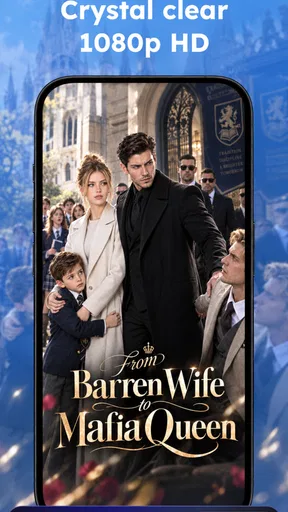
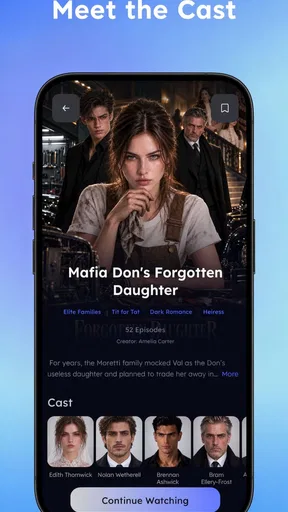

Our Review of VibeShort: AI Dramas & Reels
 Analysis by Appyee
I started using VibeShort: AI Dramas & Reels with the kind of expectation I usually have for short-form entertainment: open the app, watch a few quick stories, and decide whether it deserves a place on my phone. It quickly became clear that this is less about casually browsing isolated clips and more about settling into a stream of compact dramas, television-style episodes, and reels that are designed to keep the next piece of content close at hand.
That makes it an interesting fit for households where people share a device or take turns using the same screen. One person may want a dramatic story during a short break, while someone else may prefer lighter reels later in the evening. The convenience is real, but shared use also makes boundaries important. The app is an entertainment service with a mature audience label, so I would not treat it as a neutral family video player or hand it to younger viewers without checking what is being watched.
How VibeShort fits into everyday shared viewing
My most natural use case was a spare ten or fifteen minutes: waiting for an appointment, winding down after dinner, or taking a break from longer television. Short dramas work well in those moments because they create an immediate reason to continue. I did not need to commit to a full film or remember a complicated plot from a previous night. The reels offer an even quicker option when I only want something brief.
In a shared household, that flexibility can be useful. A tablet left in the living room can serve different people at different times, and the app's mixture of formats means the same installation does not have to serve only one viewing habit. Someone who enjoys serialized drama can use it differently from someone who prefers rapid, self-contained clips. I found that variety more practical than a service built around one narrow format.
There is also a trade-off. Short entertainment is easy to start and difficult to stop. A few minutes can turn into a much longer session because each completed piece naturally points toward another. I recommend deciding what kind of session I want before opening it: one episode, a short break, or open-ended browsing. That small habit makes the app feel like a tool for filling spare time rather than a default distraction.
The app is free to install, which lowers the barrier for trying it on an Android device. Its current release is version 2.26.0, and it supports Android 7.0 or newer. Those requirements make it accessible on many older phones, although the experience will still depend on the device's screen, speakers, storage, and network connection. I would test it on the actual shared device rather than assuming that an older phone will handle every viewing session equally well.
What the format does better than ordinary television apps
Compared with a conventional television service, VibeShort is better suited to fragmented time. I do not have to browse a large library for half an hour before finding something manageable. The short structure also makes it easier to stop between story beats. That is useful when I am watching while waiting for a train or when household tasks may interrupt me.
Compared with a general video platform, its focus feels more deliberate. A broad platform can offer almost anything, but that variety can make discovery noisy. Here, the emphasis on AI dramas, series, and reels gives the viewing experience a recognizable direction. The downside is that anyone looking for documentaries, live events, long films, or a carefully organized family catalogue will probably be better served elsewhere.
I would also distinguish it from a traditional streaming subscription. Longer services are stronger when I want polished, uninterrupted viewing with a clear beginning and end. VibeShort is more convincing when I want frequent story fragments and quick entertainment. Neither format replaces the other, and trying to use this app as a full substitute for a television library would create the wrong expectations.
Setting boundaries before several people use one device
The first practical step in a shared home is deciding whose viewing habits the app is meant to reflect. If several people use one phone or tablet, the visible recommendations and recently watched material may not represent one person's interests. That can make discovery less useful and can also create awkward moments when one viewer opens the app after another has been watching mature material.
I would not assume that a shared installation automatically provides separate experiences for different people. Instead, I would agree on a simple routine: use the app on personal devices where possible, avoid leaving it open on a communal screen, and close the viewing session when finished. If a household has children, an adult should review the app's age context before allowing access, rather than relying on the fact that the content may appear in short, approachable pieces.
This is one of the less obvious issues with short dramas. Their compact presentation can make them look harmless at a glance, especially when a viewer is scrolling quickly. The mature 17+ classification is therefore meaningful in day-to-day use. I would treat it as an adult-oriented entertainment app, not as something to place beside child-focused video services simply because the clips are brief.
Another useful boundary concerns sound. Reels and dramatic scenes can be watched quietly with headphones, but a shared speaker can change the atmosphere of a room quickly. In my experience, headphones are the considerate choice when other people are working, sleeping, or watching something else. This matters more than it may seem because the app is designed for frequent, immediate playback rather than occasional, carefully scheduled viewing.
Keeping accounts, purchases, and expectations separate
VibeShort includes in-app purchases ranging from $0.99 to $149.99 per item. That is the detail I would discuss before handing a shared device to another household member. A free installation does not mean every part of the experience is cost-free, and a communal phone creates a real risk of confusion if more than one person can use the same payment setup.
I would keep the purchasing decision with one adult, review the store's payment protections, and avoid treating the app as an unattended activity for children. I would also explain to other users that seeing a locked or paid option does not mean they should tap through it automatically. This is not a criticism unique to VibeShort; it is simply a necessary rule whenever entertainment, a shared device, and stored payment details meet.
The broad purchase range also changes how I judge value. Someone who only wants occasional reels may be perfectly happy with the free entry point and never spend anything. A viewer who becomes invested in continuing dramas may encounter more pressure to consider paid options. I would decide on a personal spending limit before becoming absorbed in a story, because making that decision during a cliffhanger is not the fairest test of value.
There is a second kind of separation worth maintaining: personal expectations. One person may enjoy melodramatic twists and AI-assisted storytelling, while another may find the style artificial or repetitive. I would not use one household member's enthusiasm as proof that everyone will like it. The app is most successful when each viewer understands that it offers a particular form of fast, emotionally direct entertainment.
Coordinating viewing without pretending it is a family hub
For a household, I would use VibeShort as an individual viewing option rather than as a shared planning system. It can provide a quick activity while one person is cooking or another is taking a break, but I would not build a family schedule around it. Its value is convenience, not coordination between viewers.
A simple arrangement works better: agree on when the communal device is available, use headphones when necessary, and tell the next person whether the screen is free. If someone is following a continuing drama, they can also say which story they are watching before another person starts browsing. That avoids the small but irritating problem of accidentally changing the direction of a shared viewing session.
One practical tip is to reserve the app for clearly defined moments on a communal device. For example, I might use it while waiting for a delivery, then return the tablet to its usual place instead of leaving an endless feed running. This reduces the chance that another person opens the app unexpectedly and also keeps short-form viewing from spreading into every idle moment.
Another is to choose the screen based on the session. A personal phone is fine for a quick reel, but a tablet is more comfortable for a dramatic sequence. A television-style screen can make the content feel more social, yet it also makes age and sound considerations more visible to everyone nearby. The app can support different situations, but the household has to supply the judgment about where and when it belongs.
I would also avoid assuming that a shared device means shared taste. If one person uses it mainly for reels and another follows dramas, recommendations may become less relevant over time. When that happens, I would consider moving individual viewing to separate devices rather than repeatedly trying to correct the same mixed-use experience. That is a realistic limitation of communal entertainment use, not necessarily a defect in the content itself.
Age context, trust, and the right viewer
The mature 17+ rating is the clearest guide for deciding who should use this app. I would recommend it to adults and older viewers who enjoy quick fictional drama, serialized storytelling, and reels. I would not recommend giving unsupervised access to younger children, and I would not describe it as a family-safe default without an adult checking the viewing context first.
That advice applies even when a child is only interested in the reels. A mixed entertainment feed can move between tones quickly, and short presentation does not remove mature themes. The responsible approach is to choose a different child-oriented service for younger viewers rather than expecting VibeShort to fill that role.
Trust also matters among adults. If several people use one device, the issue is not only age but privacy and comfort. Browsing history, recommendations, and unfinished stories can reveal what another person has been watching. I would use a personal device for private viewing and treat a shared tablet as a public screen within the household. That distinction prevents unnecessary misunderstandings.
The developer is AGILE QUADRANT MEDIA LIMITED, and the app has built a substantial audience, with an average rating of 4.4 from around 327 thousand ratings and more than 10 million installs. Those figures suggest that the format has broad appeal, but they do not guarantee that every viewer will enjoy the same storytelling style. I would use the popularity as a reason to try it, not as a replacement for personal taste.
The release date of February 7, 2026 also places the app in a relatively recent stage of its life. For me, that means I would pay attention to how the experience develops across updates rather than assuming that the current workflow will remain unchanged. The installed version is 2.26.0, so keeping the app updated is sensible when using it regularly, especially on a device shared by several people.
Who should choose it, and who should skip it?
I think VibeShort is a good match for someone who likes stories delivered in small portions and wants entertainment that fits around a busy day. It is especially convenient for viewers who alternate between short reels and compact drama rather than committing to a long film. It can also suit adults who want a dedicated place for this style of content instead of searching through a much broader video service.
I would skip it if my main goal were a calm, predictable family catalogue. The age classification makes it a poor default for a household with young children. I would also look elsewhere if I wanted deep controls over a shared viewing environment, a conventional television schedule, or a large selection of long-form productions. A mainstream streaming service is usually the better choice for planned group viewing.
People who dislike cliffhangers, rapid browsing, or highly compressed storytelling may become frustrated. The short format can make a story feel immediate, but it can also reduce the breathing room that some viewers want from drama. Likewise, anyone with limited mobile data should think about when and where to watch, since repeated short sessions can add up even when each individual clip feels small.
My recommendation is therefore conditional but positive: try it as an adult-focused short-drama app, not as an all-purpose video replacement. Start with a short session, observe whether the storytelling style holds your attention, and decide whether the free experience is enough before considering optional purchases. That approach gives the app a fair test without letting the feed or a cliffhanger make the decision for you.
My household verdict after using it
I see VibeShort as a convenient entertainment companion for adults who want AI dramas, television-style series, and reels in a compact format. Its strongest quality is the way it fits into fragments of the day. I can open it for a quick diversion, follow a story without reserving an entire evening, and switch between formats depending on my mood.
Its weaknesses become clearer in a shared home. The mature 17+ context requires adult judgment, and a communal device can blur viewing boundaries, recommendations, and purchase responsibility. The free starting point is helpful, but the range of optional purchases means households should agree on payment rules before more than one person uses it.
After weighing those points, I would recommend it to an adult who wants fast, serialized entertainment and is comfortable managing their own viewing habits. I would keep it away from unsupervised child use and would choose a more traditional streaming or family-focused service for planned group sessions. The best way to use VibeShort is as a personal short-form drama shelf, not as a shared family television replacement.
For the right viewer, that distinction is a strength rather than a limitation. The app does not need to cover every kind of entertainment to be useful. It only needs to make short stories easy to reach, and in my experience it does that well enough to earn a place on an adult's device—provided the household sets clear boundaries around age, sound, screen time, and spending.
Privacy and Permissions
See what permissions an app requests and how it handles your data.
- Wi-Fi connection information
- view Wi-Fi connections
- Other
- view network connections, change network connectivity, full network access, draw over other apps, control vibration, prevent device from sleeping, Google Play license check, read Google service configuration
Verdict
Strengths of VibeShort: AI Dramas & Reels
- Short episodes make it easy to watch during quick breaks.
- AI-assisted stories offer a wide range of dramatic plot ideas.
- Vertical videos are well suited to one-handed mobile viewing.
- Regular content updates can keep the catalog feeling fresh.
- Simple browsing helps you discover dramas without much setup.
Limitations of VibeShort: AI Dramas & Reels
- Some episodes may feel rushed because of their very short format.
- The most interesting content may require in-app purchases or subscriptions.
- Story quality can vary noticeably between different series.
- Frequent ads may interrupt viewing for users on the free plan.
- Streaming may consume considerable mobile data without Wi-Fi.
Similar Picks in This Category
View All
Google Play Games
Google LLC3.9

Netflix
Netflix, Inc.4.8

YouTube Kids
Google LLC4.2

Disney+
Disney4.4

Prime Video
Amazon Mobile LLC4.7

Steam
Valve Corporation3.2
Frequently Asked Questions
What is VibeShort: AI Dramas & Reels?
VibeShort: AI Dramas & Reels is a mobile entertainment app focused on short-form dramatic videos, serialized stories, and reel-style content. It is designed for users who prefer quick episodes that can be watched during short breaks. The app may also use artificial intelligence to support story creation, recommendations, personalization, or interactive viewing features, depending on the version available in your region.
Is VibeShort: AI Dramas & Reels free to download and use?
The app can generally be downloaded without an upfront purchase, but some content or features may require payment. Short dramas, premium episodes, ad-free viewing, virtual items, or subscriptions can be offered through in-app purchases. Before watching extensively, check the pricing page and subscription terms carefully, especially for free trials that may automatically renew unless canceled through your Google Play or App Store account.
Does VibeShort require an internet connection?
VibeShort is primarily intended for online use because its dramas and reels are streamed from the service. A stable Wi-Fi or mobile-data connection is normally needed for smooth playback, account synchronization, recommendations, and access to newly released episodes. If the app provides downloads for offline viewing, availability may depend on the title, subscription level, device storage, and regional restrictions.
Is VibeShort: AI Dramas & Reels suitable for children?
Parents should review the app’s age rating and available titles before allowing children to use it. Short-drama platforms can include romance, conflict, mature themes, emotional situations, advertising, or user-directed recommendations that are not appropriate for every age group. It is also advisable to check parental-control options, restrict in-app purchases, and supervise account use if younger viewers will access the application.
What permissions and account information does VibeShort use?
The permissions required by VibeShort may vary between Android and iOS and can change with app updates. Streaming applications commonly request network access and may ask for notifications, storage or photo access, and account details when those features are used. Review the privacy policy and the permissions shown during installation, and avoid granting optional access unless it is necessary for a feature you plan to use.
